Every time I login into my desktop, pidgin start behind, and sometimes it's annoying me - e.g. when I'm not connected to Internet or when I don't want to be on-line - I check startup application list and there's no pidgin listed.
another thing that is very annoying is hiding window feature or what ever it called.
assume that you're using MusicTracker plug-in, your status is Busy and you're chatting with someone. when music change, status will change, and then buddy-list will disappear and chat window will minimize. Buddy-list is not important but minimizing chat window when you're chatting is annoying, Is there any way to make pidgin stop that?
Asked
Active
Viewed 1,664 times
2

Behzadsh
- 3,903
1 Answers
3
Try this,
- Close all running applications then go to System → Preferences → Startup Applications.
- Click on the Options tab, check Automatically remember running applications when logging out.
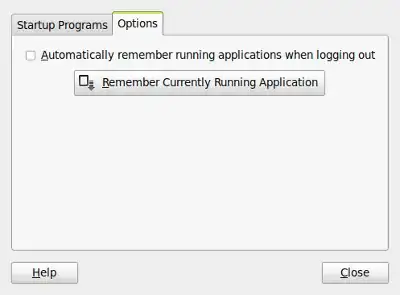
- Close and reboot.
NOTE:
- If you want your windows to stop minimizing when your away status changes, then Goto Tools → Plugins and then uncheck Iconify on Away plugin.

- Alternatively you could stop using musictracker so your status stops periodically changing.

karthick87
- 81,947
-
thanks, it worked. but I think there would be a better way. when I run pidgin from message-indicator it run in background and buddy-list did not shown. thank you anyway :) – Behzadsh Jan 14 '11 at 14:46