I would like to exclude specific packages from installation with apt-get, that is, install a metapackage without the list of specific packages, preferably with one invocation of apt-get.
For example, in Ubuntu 14.04 LTS command-line, I am installing MATE desktop environment. In 14.04 LTS MATE is not an official flavour, so I'm adding a PPA:
sudo apt-get install software-properties-common # need them for 'apt-add-repository'
sudo apt-add-repository ppa:ubuntu-mate-dev/ppa
sudo apt-add-repository ppa:ubuntu-mate-dev/trusty-mate
sudo apt-get update
then installing:
sudo apt-get install xorg mate-core --no-install-recommends
Even without the recommended extras, mate-core installs 3 terminal emulators: xterm, uxterm and mate-terminal , the latter lacking proper fonts while installed in this minimal configuration.
Suppose I decide that 3 terminal programs would be too many and I'd like to install xorg and mate-core without xterm and mate-terminal. I could do
sudo apt-get install xorg mate-core --no-install-recommends
sudo apt-get purge xterm mate-terminal
but is it possible to do this in one go? Is there some syntax like
sudo apt-get install xorg mate-core --without xterm mate-terminal


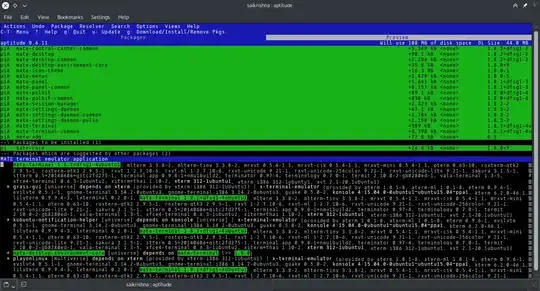
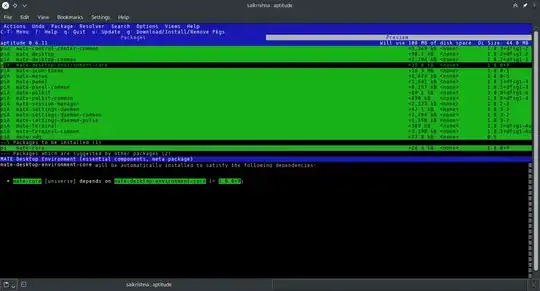
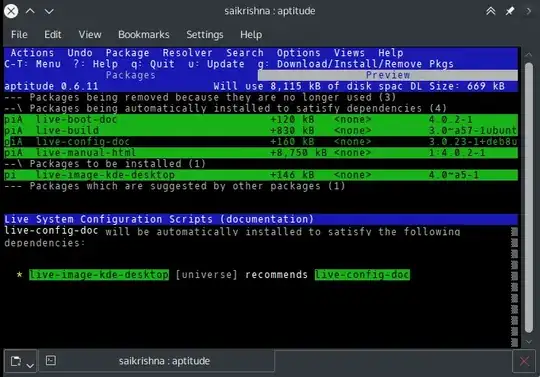


xtermandmate-terminal? In 15.04,mate-terminalis a hard dependency ofmate-desktop-environment-core, which is a hard dependency ofmate-core, and I suppose the PPAmate-terminaldoesn't providex-terminal-emulator(which the package in 15.04 does). – muru May 10 '15 at 20:35XTermand maybeUXTerm(I'm not sure what package name for the latter is) – Nickolai Leschov May 10 '15 at 20:42sudo apt-get install xorg mate-core --without xterm mate-terminal– Nickolai Leschov May 20 '15 at 23:16aptitude(or some graphical package manager), you can (de)select which packages to install, and if one results in a broken dependency, an explanation will (usually) be given. – saiarcot895 May 20 '15 at 23:21