2

I had a crash tonight, seems to have been graphics related (the cursor disappeared so I rebooted). Now chrome has gone very strange. It seems to have a windows skin over the top. As the screen shot shows the window controls are in the top right (I don't have any wnidows UI emulation running). Further, the size of the UI is totally weird.

enter image description here

It looks like it's not registering my screen resolution at all. All the icons text etc seem to be 200% what they should be. If I change the screen resolution all these elements change size. This image is of the same window as the first image but I changed the screen resolution to 800x600 and then back to 1920x1080. It also seems the actual location of elements in the window do not match their visual location and I can't click on them directly, I have to click a number of pixels to the left or right.
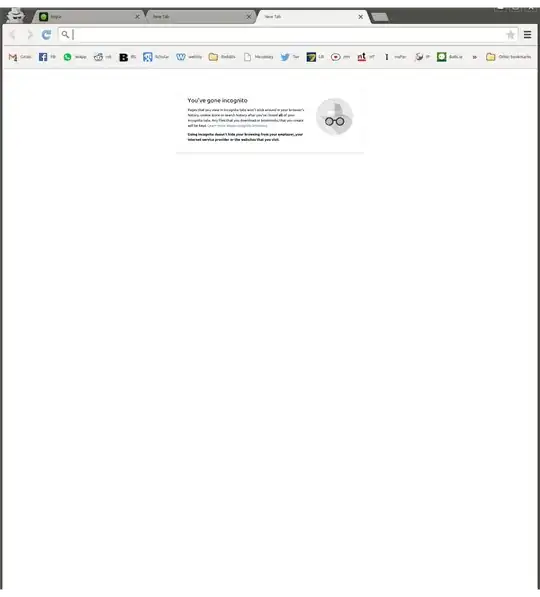
enter image description here

Finally, this is a screenshot of Chromium which hasn't been effected by whatever's messing up chrome (note the window controls are in the left). This is what chrome looked like before the crash.
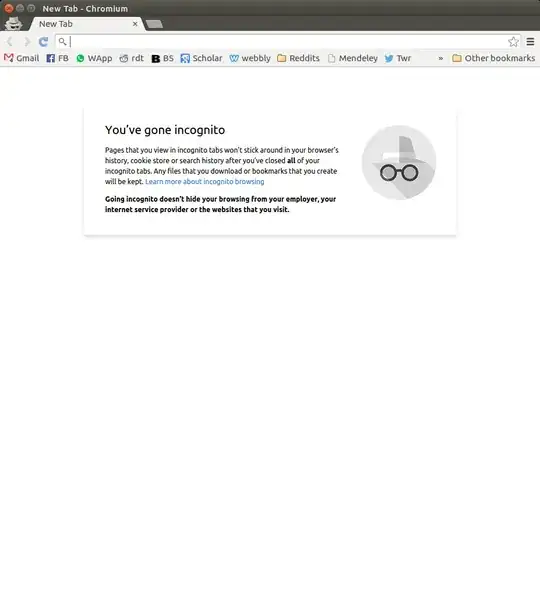
enter image description here

I have tried to purge chrome but it doesn't seem to have any effect. I have also removed the ./config/google-chrome folder, yet it is not resetting chrome. Any advice would be great as I do need to use chrome and the Widevine Content Decryption Module. Thanks.

  • I think it is normal behavior. You can configure chrome to use the native window manager decorations if you like. – Panther Jun 11 '15 at 00:01
  • To remove a package completely use purge sudo apt-get purge and remove the config files in $HOME. See man apt-get for the difference between purge and remove. – Panther Jun 11 '15 at 00:03
  • 1
    @jhtong and others: The Chrome UI size issue is a *known bug*. Use Chromium in the interim. It's a known issue that Chrome has to fix, there's no workaround but to use Chromium – Thomas Ward Jun 11 '15 at 00:12
  • Does https://askubuntu.com/questions/167140/google-chrome-with-strange-behavior?rq=1 help resolve this? – jhtong Jun 11 '15 at 00:13

1 Answers1

1

The Chrome UI size issue is a known bug, and Chrome/Chromium has to fix it. There's no other real workaround at this time, so use Chromium in the interim. It's a known issue that Chrome has to fix, there's no workaround but to use Chromium in the interim.

And it looks like this is not necessarily the first time it's been seen, as this one of the bugs on this.

Also, consider trying the steps in this solution to a similar question as a workaround. (which recommends trying this command: google-chrome --high-dpi-support=1 --force-device-scale-factor=1)

Thomas Ward
  • 74,764
  • 1
    Ok, there is a workaround that I found on that page, thanks. Launching

    google-chrome --high-dpi-support=1 --force-device-scale-factor=1

    Fixes the issue. Adding to my bashrc as an alias. Thanks

    – Munki Fisht Jun 11 '15 at 00:39